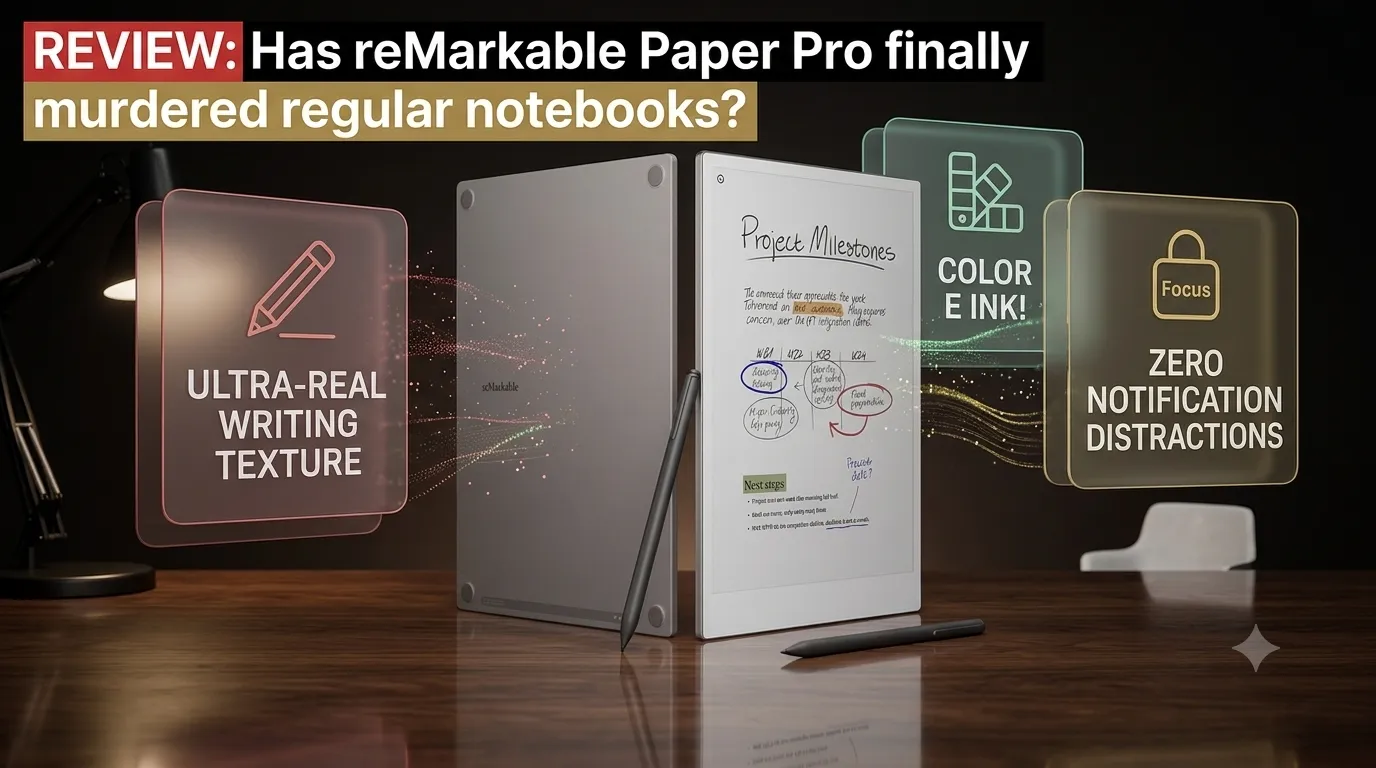
So, here’s the reality check. We’ve already covered tablets built for hardcore raw performance, and hybrid machines engineered to run your entire smart home. But while the entire tech world is busy trying to cram more notifications, blinding lights, and complex AI tools into screens, one company went completely in the opposite direction.
They built a tablet that purposely can’t do any of that.
Enter the reMarkable Paper Pro. It has no web browser for casual endless scrolling, no App Store to download games, and absolutely zero social media apps to pop up and ruin your train of thought. It is built for exactly two things: reading and writing.
Let’s dive down into the story to see why people are happily trading their iPads for a screen that behaves like ancient paper.
1. The Screen: It’s Ink, But Now in Color
If you’re thinking about the bright, glossy display of a traditional tablet, throw that image straight out the window. The Paper Pro uses an 11.8-inch Canvas Color E Ink display.
Instead of shooting harsh blue light straight at your eyeballs like a smartphone, this panel reflects natural ambient light just like a physical book or a newspaper.
The Desi Analogy: Think of standard tablets like staring directly into a pair of high-beam car headlights at night—it tires your eyes out fast. The Paper Pro is like sitting under a nice table lamp reading a novel.
And the twist? It now has Canvas Color. The colors aren’t punchy or vibrant like an OLED screen; they look beautifully muted, like the ink on a Sunday comic strip or a textbook highlight marker.
2. The Pen Experience: Peak Realism
The absolute crown jewel of this device is the writing texture. Most tablets feel like you’re sliding a piece of hard plastic over smooth window glass—slippery and artificial.
reMarkable engineered a custom textured surface that creates actual physical friction against the stylus tip.
| Feature | What you get on paper | What it actually means for you |
| Writing Latency | 12 Milliseconds | The ink appears instantly. There is zero lag between the pen tip moving and the digital line showing up. |
| Stylus (Marker Plus) | Textured with built-in eraser | No battery required. Flip it upside down, rub it on the screen, and it erases just like a classic pencil. |
| The Sound | High-Friction Screen | It literally makes that classic scratch-scratch acoustic sound as you write. |
3. Organization: The Ultimate Digital Cabinet
If your office desk is normally buried under a mountain of chaotic loose sticky notes and half-filled spiral notebooks, this machine will save your sanity.
You can create an infinite number of separate folders and digital notebooks. You can have one dedicated notebook for client meetings, one for journaling, and another for travel brainstorming. It even features surprisingly robust handwriting recognition—you write out a messy longhand page, and it converts it into clean, typed digital text with a single tap.
4. The Catch: The Price of Absolute Silence
Now, let’s look at the major catch. To buy this environment of pure focus, you have to pay an incredibly premium price. The Paper Pro is unapologetically expensive.
And because it is strictly an E Ink device, the refresh rate is slow compared to a smartphone. If you try to open a heavy PDF document or zoom into a complex chart, the screen will visibly flicker and take a second to refresh itself. It is a device engineered entirely around restraint—if you purchase it hoping to quickly check an email while watching a YouTube tutorial, you will end up immensely frustrated.
The Lallantop Takeaway: Who is this for?
Let’s summarize it clearly.
If your idea of a tablet is a device for entertainment—watching movies, playing high-end games, or hopping on video calls—do not buy this. You will be vastly better off with a standard iPad or a premium Android tablet.
But if you are a writer, an executive who reviews endless documents, a student looking to study deep work habits without notification anxiety, or someone who simply misses the nostalgic, tactile feel of putting physical ink onto paper, the reMarkable Paper Pro is a masterpiece of modern digital minimalism. It is expensive, but for true peace of mind, it is unparalleled.
Disclaimer
The information provided on piwania.in is for general educational and informational purposes only.
Please note that the Piwania Skill Mission mentioned on this platform is not a government scheme, initiative, or affiliate program of any state or central government body. It is a strictly private effort and independent initiative dedicated to empowering students by bridging the digital divide and providing them with essential digital devices.
While we strive to ensure accuracy, piwania.in makes no warranties about the completeness or reliability of the services mentioned. Any action you take based upon the information on this website is strictly at your own risk. We are not liable for any losses or damages in connection with the use of our website.
For official government schemes, please visit the respective verified government portals.
1 iPad and
1 phone Samsung galaxy altra
Free mila Kay ipad
1 i pad atra
Main six class mein hun
Tal sangmeshwar diestrik
Ratnagiri Maharashtra
Bihar Muzaffarpur Rampur Lakshmi railway ghumte Hanuman Mandir pin code 843109
me 12 pass kr ke avi college me gyi hu isliye padhai ke liye chahiye
12th hui hai abhi ageki padhai keliye chahiye or ai skills development ke liye
Pune , Maharashtra 411051
Sir mujhe iski bahut zarurat hai Please give me for study
Address: Bank Of Baroda Ansar Chaok Parshadepur Salon Raebareli
District: Raebareli
City: Lucknow
State: Uttar Pradesh
Pin Code: 229129
INDIA Thank you sir
Please sir mera pack kara do 9
Thank you so much
10 class padhai ke lagi
My name is Rupam Bit and l need a teblets
Me Amar kumar Ganesh class 9th me parta hu Mujhe parne me problem hai
Me sirf school me parta hu jab hom study krata hu mujhe koi smjha nahi hai
Hum log magddri karte hai
Kab ayega ye tablet
Bhaiya mera pariwar gareebi mai hai to kya plz 1 acha sa laptop de sakte hai to plz de dejia ga
City: Mahoba Uttar Pradesh
Location: gandhi nagar Mahoba
6394448181
Main class 10th student bikapur Ayodhya government High school Puri Nanda mein padhati hun kya sach mein aapane computer de sakte hain
I am a bsc student from gwalior tighra road bypass (MP) India I need a tablet from my further studies
I am from barwani in need this for my study
Love this design of tablet and I really need it I’m from , haryana , Karnal and I’m student of BBA final year
I need tablet
ritika
12th class student
vedanta international school, kaloda khurd ,narwana , jind
pincode 126116
i need this for my studies please help me
Sir I am study in 12 class. I am only study in school but at home no one who teach me so please .
And my fater is not have any work to do so he can not afford me laptop to study so I will request to you kindly give me a laptop.
I am a 1st year BSc Botany graduation student. I need a tablet for my further studies. If I can also get it, please help me, as shown in the videos on Insta and YouTube.
Sir please give me one tablet I need it for study as I study online
Address-shivmurti haridwar
Me class 12 th me study karate hu mere parents gareebi hoi to kya aap muze please 1 aacha sa laptop de muzi study karane me bhoot problem za rahe hai to please muza laptop de do na please please
City nagpur
Location:-siraspeth telipura mehr hanuman mendir nagpur
Please sir give me a laptop to study
Hello Sir, my name is Aadit Sharma. I study in Kendriya Vidyalaya RDSO Lucknow. My father is retired from the army.
Abu Shahma
N.H. Public School, Parsadepur, Salon, Raebareli – 229129 Uttar Pradesh, India
Dear Sir,
I have also filled out the form. I kindly request that you please provide me with a tablet or laptop, as I am in great need of one for my studies.
Sir, the last week of August has already passed and the September last week has arrived. When the shortlist is prepared, please consider selecting me first because I genuinely need a tablet or laptop.
Please Sir, I humbly request you to help me.
Thank you, Sir.
Sir main kayi bar form fill kar chuka hoon
Please sir mujhe tablet ya laptop ki bahut zarurat hai Please give me a tablet ya laptop for study
Address: Bank Of Baroda Ansar Chaok Parshadepur Salon Raebareli
District: Raebareli
City: Lucknow
State: Uttar Pradesh
Pin Code: 229129
INDIA
Thank you sir