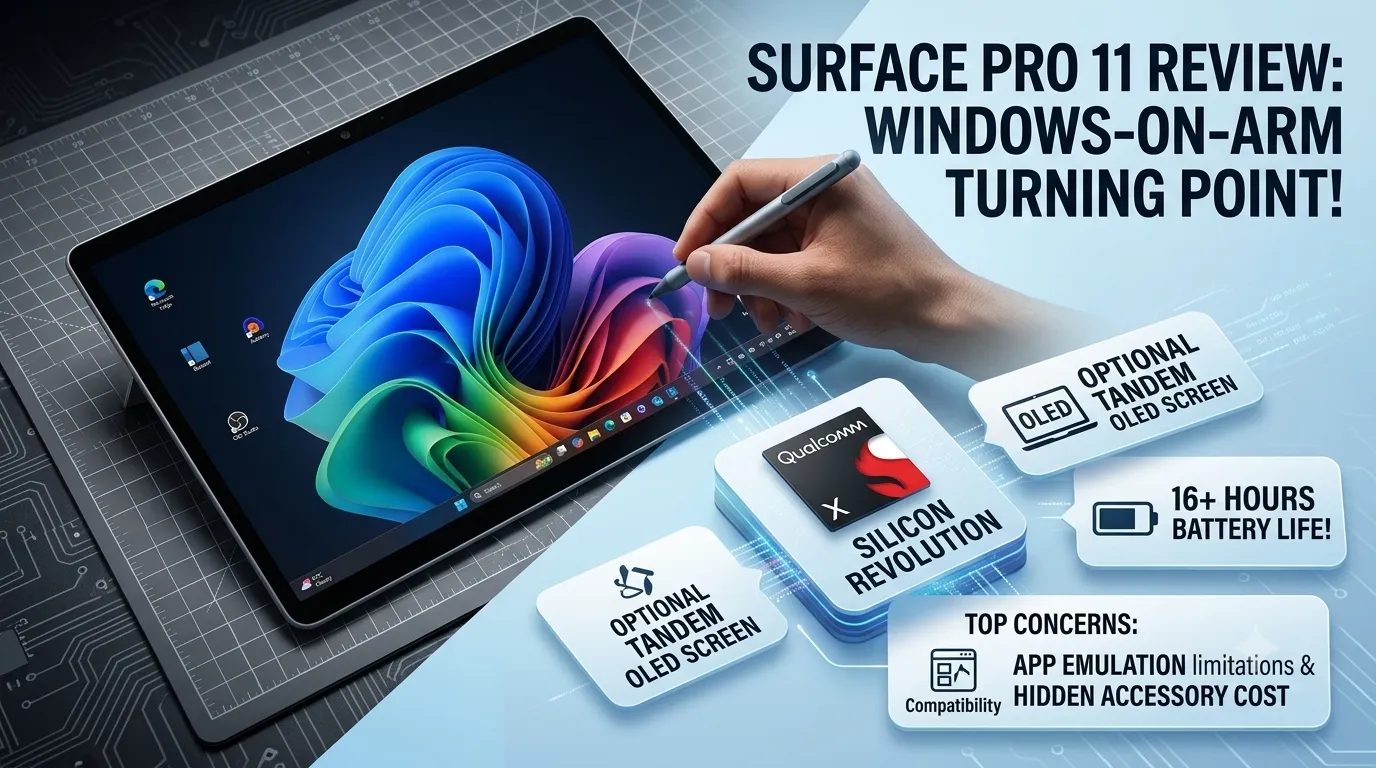
For years, Windows-powered tablets were held back by power-hungry processors, loud cooling fans, and disappointing battery performance. The Microsoft Surface Pro 11 completely rewrites this narrative, utilizing custom Qualcomm Arm architecture to establish itself as a true alternative to traditional laptops.
Key Technical Specifications
| Feature | Specification |
| Processor Options | Snapdragon X Plus / Snapdragon X Elite |
| Display | 13-inch OLED (120Hz refresh rate) or LCD |
| AI Hardware | Integrated Hexagon NPU (Up to 45 TOPs) |
| Battery Life | Up to 16.5 hours of local video playback |
| Connectivity | 2x USB-C ports, Wi-Fi 7 |
1. Silicon Revolution: Snapdragon X Elite
The core identity of the Surface Pro 11 revolves around its shift to Arm-based silicon. Dropping Intel or AMD hardware allows the device to offer snappy multi-core performance that challenges high-end mobile chipsets while operating with unprecedented thermal efficiency. Everyday task multitasking, from large spreadsheets to local photo editing, remains flawlessly smooth.
2. Display Excellence: Optional Tandem OLED
The inclusion of an optional 120Hz OLED panel brings deep, infinite contrast blacks and extremely punchy colors.
- Creative Accuracy: Achieving near-perfect coverage of the sRGB and DCI-P3 color gamuts, this screen handles creative design work with excellent accuracy.
- Daylight Visibility: Peak brightness levels clear 600 nits, ensuring the anti-glare panel stays legible even under heavy office lighting or outdoors.
3. The Copilot+ Ecosystem and Battery Life
Equipped with a dedicated Neural Processing Unit (NPU), the tablet handles native Windows AI features efficiently in the background without draining system resources.
Battery Breakthrough: Thanks to the architectural shift, the device achieves over 16 hours of usage on a single charge—nearly doubling the operational endurance of older x86-based Surface generations.
Key Drawbacks to Consider
- App Emulation: While most popular office applications run natively, a select few specialized legacy Windows programs or anti-cheat gaming systems will not run under the Arm architecture.
- The Hidden Costs: Microsoft continues to sell its vital productivity accessories—the Flex Keyboard and Surface Slim Pen—completely separately, heavily driving up the final price tier.
For an exhaustive, visual deep dive into real-world software compatibility testing and detailed battery benchmarking graphs, check out this comprehensive Microsoft Surface Pro 11 Review. This video break down exactly which mainstream business programs run natively and highlights performance limitations to keep in mind before purchasing.
Disclaimer
The information provided on piwania.in is for general educational and informational purposes only.
Please note that the Piwania Skill Mission mentioned on this platform is not a government scheme, initiative, or affiliate program of any state or central government body. It is a strictly private effort and independent initiative dedicated to empowering students by bridging the digital divide and providing them with essential digital devices.
While we strive to ensure accuracy, piwania.in makes no warranties about the completeness or reliability of the services mentioned. Any action you take based upon the information on this website is strictly at your own risk. We are not liable for any losses or damages in connection with the use of our website.
For official government schemes, please visit the respective verified government portals.
I am student and I need tablets
Order kab tak aaega
Please give me a table
I need tablet
Mohammad Avesh/Rampura Bajaj khana kota rajasthan/ Mobile number -9784610063
I need tablet for my Olympiads and school exam study
4 ya 5 dino me yes I need
Please l need a teblets
Bankura District, Gram kenjakura , post office, my number 7719220953
So how order it
I am a student i need a tablet
Hì OK
I need tablet for study on my exams
Hook namaste namaste 🙏 I wish you all for
I need this product for study’s
Ok
Hi my name is kripanjal I need a lablab please
I want these product it’s helps in study
Shalu prajapati
I am student and I need tablets
Mujhe bhi tablet chahiye
I need also want tab
Mechanical engineer
I need also table please send me
I am a student I need a tablet a lot
I need a tablet
Skills development or padhai ke liye chahiye
I need to helping about my study
Sir mujhe laptop ki bahut zarurat hai Please give me a laptop for study
Address: Bank Of Baroda Ansar Chaok Parshadepur Salon Raebareli
District: Raebareli
City: Lucknow
State: Uttar Pradesh
Pin Code: 229129
INDIA Thank you sir
Please sir pack kara do my laptop
Sir maine form fill kiya tha lekin maine Instagram I’D nahin fill kiya tha kyunki Meri Instagram I’D nahin thi ab maine bana li hai
My Instagram I’D abushahmac8h
I want tablet for my my higher understanding study’s
Yes
How you can find My address because we don’t give you address
I want laptop pls I want to study
I want this for my study purpose
i need this tablet
Hello Iam a student I need a tablet to improve my study and skills
Bhavesh pundalik Bhavsar
Rath galli faizpur, yawal, Jalgaon.
Pin code. 425503
Address,
Rath galli faizpur, yawal, Jalgaon.
Pin code. 425503
I need tablet for my Olympiads and school exam study
I am student and I need tab
please provide the tab i will be helpful to do study
please provide the tab
found this review very helpful. The detailed explanation of the Surface Pro 11’s performance, battery life, and features made it easier to understand whether it’s a good choice for students. Thanks for sharing such useful information!
I want tab for animation
Please I really need this laptop for my my education pls i don’t have enough money to buy this item
OK
I am student I need laptop
Ok
I need this tab
I need also want tab
Mujhe kam ke liye laptop chahie 10th ka liya
Mujhe jaldi se jaldi laptop chahie Meri 10th ki padhaai ke liye please 🥺 sir
I am student im read in class 7 i have on phone only my dad so give me a tablet
I am student and I need a teblets
Bhai please give me a tablet
I need laptop for study
Tablet chahiye
Sir please I want this tab becouse I need this tab
Can you help me? Because I need this tab
I need this tablet fot my better study
I don’t know how to order
Ansh kumar Gupta
Kurnool district
Yemmiganu
PIN code: 518360
NIYAAZ
Please
I need this because I dont have sufficient device for my online classes
Dibrugarh dtp dyke
pincode -786001
I have heard the tablet will come in 3 days
I wish it will come true
I want this tablet because I want study betterly and focusedly i don’t have the money to buy it so yeah i want it there i will be glad if they send me the tablet.
Good
Good 👍
Sir please I want a tablet for my studies I lives in lucknow, jankipuram, ED-315 near maharana pratap park sector Q
Sir please I want a tablet for my studies I lives in
lucknow
jankipuram
ED-315
near maharana pratap park
sector Q
please grant me a tablet please sir
Please give me a tablet . I am student in class 10
I do not use instagram or any unuseful thing.Its your wish if you want me to give a tablet
I want a tablet
I also want a tablet for my studies
Pune 411051
Sir my economic condition is not good and I am belonging to work middle class family I need tab for my study I want to secure better marks in my boards and I have need of tab for continue my study please sir give me
I am Pritam sen. The student of class lX .I want a tad for my study
I study in 10th standard . I need a tablet for study and some other work like coding,ai and digital work. Please send me the tablet i need tablet to grow up my digital skills.
I hope you will send me.
Thank you..
I study in 10th standard . I need a tablet somuch for study and some other digital work like coding,ai, and also editing. Please send me the tablet. i need tablet to grow up my digital skills. I am sure can’t do another work.
I hope you will send me.
It’s your wish you will give me a tablet or not.
Thank you..
Order kab tak ayega
I am a student and I really need tablet because not for study only it’s because I want learn something from tablets new skills. And I am not just using for skills I am using
Study and learning new skills this helps me too much because next going college and I need something really helps done my assignment and much more it helps to improving in my study and also get focused for me not just I want tablets but because it’s will help ensure that I don’t keep pestering my mom , and she won’t get disturbed either. I don’t like asking my mother for a mobile phone again and again, so I want to get a tablet. If I get a tablet, all my problems will be solved and I won’t even have to ask mom for mobile phone. Whenever I feel like it , I will be able to do my work comfortably without my mobile phone and without my mother’s permission. And If I have this tablet , I will feel proud of myself.
I needed
Mujha ek tab chaiya padhi karna ka liya mujha padh na ma bhot mushkil hoti ha isliye
Eodhiddihdjddh
class 10th me hu bihar bhagalpur kahalgaon school -sarvoday high school shobhnathpur
i need a tablet
I need to learn
I need a tablet to study📚✏📚
Hi sir
Sir marko study k liya tablet ki bhot jrurat h me ek middel class family se ho plzz give me a tablet
Thanku
Kab tak milenga tab
Mughe eak tablet ki jaruret hai jisase hame padane me dikkt ho rahi hai 😑 mai class 12 student hu mai achchha number lane ke liye eak tablet ki jarurat hai
I need a tablet please
Hey i am an 9th class student and i want to focus on my skills like editing and designing but it is hard on and android phone so i just request to for support because I can’t afford that right now
Education support please
I am a Class 12 student. I scored 88.33% in Class 10, and I want to achieve an even better percentage in Class 12. My father works as a daily-wage labourer, so he cannot afford to buy me a tablet for my studies. A tablet would help me a lot with my NCERT studies, online learning, notes and exam preparation. If you could support me with a tablet, it would mean a lot to me and help me work harder towards my goals. 🙏📚✨
If you not give me the tablet.so I will soichude and in a letter I written your website is responsible for it
To
Piwania, India
(Through the Google)
Sub- please send me the laptop or tablet.
Sir/mam,
Iam a class 11th student and I belong to a very poor family. So have not afford a tablet or laptop. So please give me a laptop or a tablet for my study.
There fore request to be a kind enough for send me the laptop or tablet.
| your obident
India, odisha, | Name- Bishal
Cuttack, |
Jagatpur, |
Bahugram
Date-24.09.26
Please piwania seen my all Commentes and send me the tablet
Please!please!please!
Sir main kayi bar form fill kar chuka hoon
Please sir mujhr laptop ki bahut zarurat hai Please give me a laptop for study
Address: Bank Of Baroda Ansar Chaok Parshadepur Salon Raebareli
District: Raebareli
City: Lucknow
State: Uttar Pradesh
Pin Code: 229129
INDIA
Thank you sir
Sir main kayi bar form fill kar chuka hoon
Please sir mujhr laptop ki bahut zarurat hai Please give me a laptop for study
Address: Bank Of Baroda Ansar Chaok Parshadepur Salon Raebareli
District: Raebareli
City: Lucknow
State: Uttar Pradesh
Pin Code: 229129
INDIA
Thank you sir
Sir main bahut bar form fill kar chuka hoon
Please sir mujhe laptop ki bahut zarurat hai Please give me a laptop for study
Address: Bank Of Baroda Ansar Chaok Parshadepur Salon Raebareli
District: Raebareli
City: Lucknow
State: Uttar Pradesh
Pin Code: 229129
INDIA
Thank you sir